
Sync Microsoft Teams contacts easily & securely
Sync all your Microsoft Teams contacts across countless other apps and devices. The secure sync.blue® cloud platform helps you to get this done with just a few clicks. No software installation required.
 Made in Germany
 GDPR compliant
In good company
sync.blue® is successfully used worldwide by renowned customers and partners from various industries.



Trusted by our users
Join our satisfied customers who trust sync.blue® for their contact synchronization needs.




How does contact synchronization work with sync.blue®?
sync.blue® is set up in just 3 steps:

Create a free sync.blue®
account. ⚙️
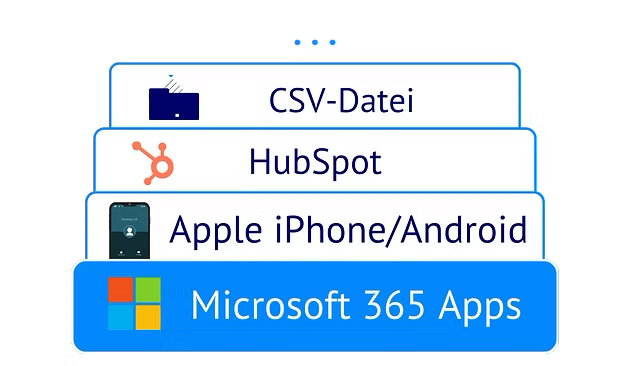
Link source and destination
from over 80 apps.
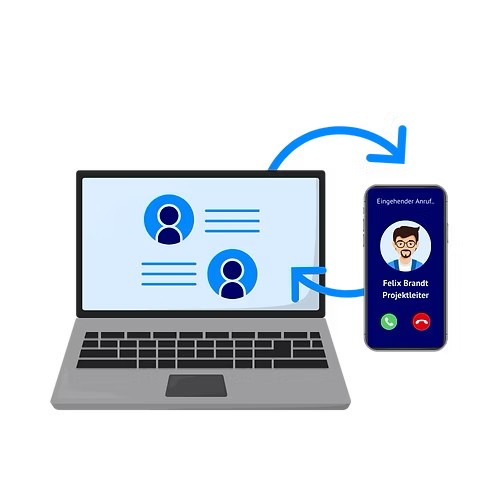
Provide your team with the
contacts - done! 🎉
How Microsoft Teams contact sync improves your contact management
Enjoy all these advantages when syncing your Microsoft Teams contacts using sync.blue®.
24x7 available
sync.blue® ensures seamless syncing of contacts in Microsoft Teams, effectively facilitating '24x7 available' uninterrupted communication. It enhances productivity through smooth collaboration, keeping all contacts accessible and up-to-date in real-time.
Create unlimited connections
sync.blue® provides the capability to create unlimited connections for Microsoft Teams, boasting seamless synchronization for an extensive range of contacts. It manages to bridge communication gaps effectively by ensuring all contacts are updated and readily available across various devices, contributing to enhanced, streamlined team collaboration.
Different types of contacts can be synchronized (individuals, companies & more)
sync.blue® provides seamless synchronization of diverse contact types, including individuals and companies, enhancing the efficiency and convenience of Microsoft Teams. It ensures that all essential contact information is automatically updated and readily accessible, optimizing communication within teams.
No software required
sync.blue® offers seamless contact syncing for Microsoft Teams, eliminating the need for additional software. This ensures efficient information management and boosts productivity, embodying a streamlined experience for users.
Scheduled sync
sync.blue® provides a seamless solution for scheduling syncs between Microsoft Teams contacts, managing data exchange in real-time or at user-defined intervals. This offers businesses an organized, efficient and timely data merger, ultimately enhancing communication and teamwork productivity.
Universal protocols available (CardDAV, LDAP, CSV)
sync.blue® unlocks new levels of connectivity for Microsoft Teams by enabling seamless contact syncing across universally recognized protocols such as CardDAV, LDAP, and CSV. This powerful interoperability fosters greater collaboration, information sharing, and productivity within Teams, translating to an enhanced user experience.
1-way or 2-way sync selectable
sync.blue® offers the flexibility of either 1-way or 2-way synchronization, seamlessly integrating Microsoft Teams for streamlined contact syncing. This feature ensures optimal data consistency and efficient communication channels, thereby fostering enhanced collaboration and productivity.
All contacts in all apps and devices
sync.blue® enables seamless synchronization of all contacts across various apps and devices, enhancing both productivity and convenience for Microsoft Teams users. It effectively merges diverse contact lists, ensuring that all necessary information is uniformly accessible, thus simplifying communication in a professional environment.
Focus on security & privacy
sync.blue® can provide advanced security and privacy features for Microsoft Teams, ensuring secure contact syncing and the safeguarding of personal information. It offers a high level of data protection, mitigating the risks of unauthorized access and data breaches.
Try for free easily
sync.blue® enables effortless synchronization of contacts for Microsoft Teams, offering a 'Try for free' option that appeals to those wanting to test out the service. This feature allows organizations to integrate their data seamlessly, ensuring efficient team collaboration and communication.
Updates existing contacts
sync.blue® offers seamless synchronization capabilities, effortlessly keeping Microsoft Teams' existing contacts updated in real-time. The tool ensures evolved collaboration by maintaining updated, accurate contact information across different platforms.
Minimizes manual IT effort
sync.blue® automates Microsoft Teams contact synchronization across enterprise directories and business applications, minimizing manual IT effort by keeping contacts consistently updated and accessible. Streamlined provisioning and lifecycle management reduce repetitive tasks, improve data accuracy and governance, and lower support workload for Microsoft Teams deployments.
Native integration in iPhone and Android
sync.blue® enables native integration of Microsoft Teams contacts with iPhone and Android, providing a unified, continuously updated mobile address book with reliable caller ID and corporate fields. Scalable, secure contact syncing supports enterprise mobility, compliance, and governance across managed devices and existing MDM/EMM ecosystems.
Scalable contact sync
sync.blue® provides scalable contact sync for Microsoft Teams by consolidating enterprise contact data from Microsoft 365, Azure AD, CRM, HR, and telephony systems into a unified, continuously updated directory. Designed for high-volume environments, it supports automated synchronization, strong security and compliance, and cross-platform interoperability to improve calling, messaging, and collaboration.
Fast ROI
sync.blue® accelerates ROI for Microsoft Teams by automating enterprise-grade contact synchronization across CRMs, phone systems, and directories, reducing manual upkeep, IT overhead, and data silos. The platform’s secure, scalable integration improves data accuracy and user productivity, driving faster time-to-value, lower support costs, and higher Microsoft Teams adoption.
Proven cloud platform
sync.blue® provides a proven cloud platform for Microsoft Teams contact syncing, delivering enterprise-grade reliability, security, and scalability to keep contact data consistently synchronized across global environments. The service streamlines contact data synchronization from directories and business systems into Teams with high availability and compliance-ready controls.
Unified company phone directories
sync.blue® unifies company phone directories in Microsoft Teams by continuously synchronizing and normalizing contacts from enterprise sources such as Azure AD, Microsoft 365, on-premises Active Directory, CRM platforms, and PBX systems to maintain a single, up-to-date corporate phonebook. Built for large organizations, the platform offers scalable contact management with automated updates, deduplication, compliant data handling, and reliable directory integration to improve search, call routing, and collaboration in Teams.
Try syncing Microsoft Teams for free
Create your free sync.blue® account now and sync Microsoft Teams contacts with countless other apps and devices. No credit card required.
Popular use cases when syncing Microsoft Teams contacts
If your Microsoft Teams contacts are in sync, there are so many use cases. Just to name the most popular of them:
Click to dial
With sync.blue® and Microsoft Teams, businesses can streamline their communication processes, significantly enhancing productivity and operational efficiency. Using sync.blue®, contacts from various databases are synchronized with a phone book, simplifying and quickening the task of dialing contacts. This seamless integration allows users to dial contacts effortlessly, directly from the application or device offered by the phone or telephony provider. sync.blue® therefore stands as a powerful solution that combines the convenience of click-to-dial with the formidable collaborative powers of Microsoft Teams.
Easy software migration
With sync.blue®, software migration is effortlessly streamlined, specifically for applications like Microsoft Teams that manage contact syncing. The innovative service seamlessly maintains the same contact base even when transitioning between different software or using multiple platforms simultaneously. This eliminates potential integration complexities, ensuring a consistent and unified contact management system. Undoubtedly, sync.blue® heralds a new standard for uncomplicated and efficient software migration.
Finally reach out to your contacts
sync.blue® enables comprehensive contact outreach across different platforms by breaking down app silos. All contacts from varied applications are synchronized, opening up a broader market base for Microsoft Teams users. It enhances outreach capacity, reaching more leads and customers, which translates into increased revenue. The integration of sync.blue® with Microsoft Teams serves as a powerful tool in optimizing contact outreach strategies.
Know who is calling
sync.blue® significantly improves the efficiency and professionalism of business interactions by keeping company phonebooks synchronised. It achieves this by seamlessly integrating contact information into Microsoft Teams, enabling the caller's identity to be immediately identified. The software provides a personalised calling experience which is ideal for sales and customer service teams, allowing them to greet the caller by name and foster a positive rapport from the outset. In a fast-paced business environment, sync.blue® presents a valued tool for elevating customer relationships and enhancing communication flows.
Remove duplicates
sync.blue® provides an innovative solution for efficient contact syncing in Microsoft Teams by ensuring the removal of duplicates. By detecting existing contacts in a sync target, it prevents the unneeded creation of new duplicate contacts. This process offers businesses a streamlined operation, improving productivity while maintaining a clutter-free, organized contact list. With sync.blue®, there's a significant improvement in data consistency and management, fostering better workflow and communication within Microsoft Teams.
Contacts in sync on all smart phones
sync.blue® offers a seamless solution for keeping contacts in sync across all smart devices for Microsoft Teams. By seamlessly integrating with Apple devices such as iPhones, iPads, and MacBooks, as well as Google devices including Google Contacts, Nexus, and Pixel, it ensures that vital company contacts and users are always updated. This advanced syncing feature also enhances user experience by allowing instant recognition of incoming calls and one-click dialing of synced contacts. With sync.blue®, staying connected and managing contacts becomes streamlined, efficient, and effortless.
Get a 360 degree overview
Using sync.blue® enhances the functionality of Microsoft Teams by providing a complete, 360-degree view of all contact information across multiple devices and applications. This platform gathers and synchronizes contact details from different silos, helping businesses to optimize their workflow, increase efficiency, and ultimately generate more revenue. Through comprehensive contact management, sync.blue® offers insights into the user's contact base, adding value to their customer relationship management strategy. Thus, sync.blue® integrates diverse contact information into an easily accessible platform, revolutionizing contact management on Microsoft Teams.
Mobile data entry
sync.blue® revolutionizes mobile data entry by enabling immediate syncing of contact details entered on any smartphone with Microsoft Teams. Utilizing this advanced tool grants you the convenience of staying connected with your contacts through your preferred groupware or CRM. sync.blue® not only ensures increased accessibility and streamlined workflow, but also guarantees seamless integration with various platforms. The result is an enhanced collaborative environment, optimizing team communication and ensuring vital contact information is always up to date.

Sync Microsoft Teams contacts with these apps and devices
Your Microsoft Teams contacts can easily be synced with countless other apps and devices like these.
Sync Microsoft Teams contacts with Google Contacts seamlessly
A contact sync between Microsoft Teams and Google Contacts, known as sync.blue®, offers various advantages. It eliminates the need for any additional software, allowing for seamless integration between the two platforms. With scheduled sync, all contacts are kept up to date across all apps and devices. Users can choose between 1-way or 2-way sync, and create an unlimited number of connections. Different types of contacts, including individuals and companies, can be easily synchronized. Focus on security and privacy is prioritized, and the service is available 24x7. Users have the flexibility to select universal protocols such as CardDAV, LDAP, or CSV for synchronization. The service also offers a free trial for easy testing and updates existing contacts to ensure accurate and updated information.
Sync Microsoft Teams contacts with Microsoft Dynamics 365 seamlessly
sync.blue® offers a feature that allows for seamless synchronization of Microsoft Dynamics 365 contacts. Microsoft Dynamics 365 is a suite of intelligent business applications that helps you run your entire business and deliver greater results through predictive, AI-driven insights.
Sync Microsoft Teams contacts with Microsoft Global Address List seamlessly
A contact sync between Microsoft Teams and Microsoft Global Address List (GAL) provides several advantages. It requires no additional software, allowing for seamless integration. Users can schedule the sync, ensuring that their contacts are always up-to-date across all apps and devices. The sync can be configured as a 1-way or 2-way sync, giving users flexibility in managing their contacts. It supports unlimited connections and synchronization of various contact types, such as individuals and companies. With a focus on security and privacy, sync.blue® is available 24x7 and supports universal protocols like CardDAV, LDAP, and CSV. Users can easily try it for free and it also updates existing contacts automatically.
Sync Microsoft Teams contacts with 3CX seamlessly
sync.blue® delivers enterprise-grade Microsoft Teams and 3CX contact synchronization as a cloud service with no software required, 24x7 availability, and a strong focus on security and privacy. It offers scheduled synchronization with selectable one-way or two-way flow, updates existing contacts reliably, and supports different contact types including individuals and companies, ensuring all contacts remain consistent across apps and devices. Unlimited connections can be created and managed using universal protocols such as CardDAV, LDAP, and CSV, enabling scalable and compliant deployments. Fast onboarding with an easy free trial simplifies evaluation for enterprises.
Sync Microsoft Teams contacts with AGFEO seamlessly
A contact sync between Microsoft Teams and AGFEO, offered by sync.blue®, offers several advantages. It does not require any additional software, allows for scheduled syncs, and ensures that all contacts are available across all apps and devices. Users can choose between 1-way or 2-way sync and can create unlimited connections. The sync supports different types of contacts, prioritizes security and privacy, operates 24x7, and offers universal protocols such as CardDAV, LDAP, and CSV. It also allows users to try the service easily for free and updates existing contacts as needed.
Sync Microsoft Teams contacts with ALL-INKL seamlessly
A contact sync between Microsoft Teams and ALL-INKL offers several advantages. It does not require any additional software, allowing for hassle-free usage. The sync can be scheduled according to preferences, ensuring regular updates. All contacts from various applications and devices can be synced, allowing for easy access and management. Users have the option to choose between one-way or two-way sync. This service offers unlimited connections, enabling synchronization of different types of contacts such as individuals and companies. Security and privacy are prioritized, providing a reliable and secure syncing solution. This service is available 24x7 and supports universal protocols including CardDAV, LDAP, and CSV. Users can easily try the service for free. Additionally, the sync feature also updates existing contacts, ensuring accurate and up-to-date information.
Sync Microsoft Teams contacts with API seamlessly
A contact sync between Microsoft Teams and the API offered by sync.blue® provides several advantages. Users can sync their contacts without the need for any additional software. The sync can be scheduled as per the user's convenience and ensures that all contacts are available across all apps and devices. It allows users to select between 1-way or 2-way sync options and creates unlimited connections. Different types of contacts, including individuals and companies, can be synchronized effortlessly. The focus is on ensuring security and privacy, with 24x7 availability and support for universal protocols like CardDAV, LDAP, and CSV. Users can try the sync.blue® for free and the sync also updates existing contacts seamlessly.
Sync Microsoft Teams contacts with APPTEC360 seamlessly
sync.blue® connects Microsoft Teams and APPTEC360 for automated, scheduled contact synchronization with no software required, delivering all contacts to all apps and devices via a proven, 24x7 available cloud platform. Enterprises can select 1-way or 2-way sync, update existing contacts, create unlimited connections, and synchronize different contact types such as individuals and companies, enabling unified company phone directories and native integration on iPhone and Android. Universal protocols including CardDAV, LDAP, and CSV ensure broad interoperability with a strong focus on security and privacy. The scalable contact sync minimizes manual IT effort and accelerates time-to-value for enterprise deployments, delivering fast ROI and an easy, free trial to validate fit.
Sync Microsoft Teams contacts with AVM FRITZ!Box seamlessly
The AVM FRITZ!Box is a versatile networking device, functioning as a router and a telephone system, renowned for its capacity to efficiently sync contact data. Utilizing sync.blue® software, users can effortlessly synchronize AVM FRITZ!Box contacts, enhancing convenience and productivity in both personal and professional settings.
About Microsoft Teams
Microsoft Teams is a highly effective communication platform designed by Microsoft Corporation. It is a unified communication and collaboration platform that grants access to workplace chat, video meetings, file storage, and application integration. It serves as a hub for teamwork in Microsoft 365. Its vast cascade of features allows an interconnected workforce, regardless of geographical boundaries. Collaboration in Microsoft Teams is taken to another level with the capacity to sync contacts with sync.blue®. sync.blue® is a remarkable cloud platform, which is utilized for syncing data across multiple software applications. It optimizes the process by granting users the ease of transferring contacts from their database to Microsoft Teams. Thus, it interlinks the user's directory in a secure and efficient manner, fostering a more systematized communication network among team members. This feature enhances convenience, user experience and productivity within Microsoft Teams.