

Sync Microsoft Dynamics 365 contacts with Microsoft Teams seamlessly
A contact sync between Microsoft Dynamics 365 and Microsoft Teams offers several advantages. There is no need for additional software, and the sync can be scheduled according to preferences. It ensures that all contacts across various applications and devices are synced, and allows users to choose between one-way or two-way sync. The sync.blue® solution supports unlimited connections and enables synchronization of different types of contacts, such as individuals and companies. It prioritizes security and privacy, with 24x7 availability and support. Users can utilize universal protocols like CardDAV, LDAP, and CSV. A free trial option is also available, and the sync feature updates existing contacts as needed.
 Made in Germany
 GDPR compliant
Proud of our customers
sync.blue® is successfully used worldwide by renowned customers from various industries.


Trusted by our users
Join our satisfied customers who trust sync.blue® for their contact synchronization needs.



How does contact synchronization work with sync.blue®?
sync.blue® is set up in just 3 steps:

Create a free sync.blue®
account. ⚙️
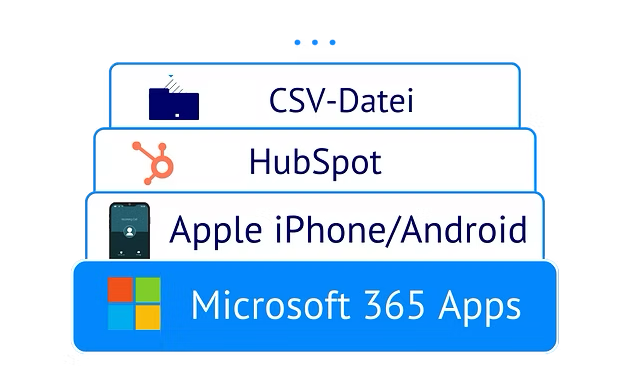
Link source and destination
from over 80 apps.

Provide your team with the
contacts - done! 🎉
How syncing Microsoft Dynamics 365 with Microsoft Teams improves your contact management
Enjoy all these advantages when syncing your Microsoft Dynamics 365 contacts with Microsoft Teams using sync.blue®.
No software required
No software is required to sync contacts between Microsoft Dynamics 365 and Microsoft Teams, allowing users to effortlessly access their contacts within both platforms and streamline communication seamlessly. The integration enables efficient collaboration and maximizes productivity by eliminating the need for manual contact updates and duplicate entries. With sync.blue®, users can effortlessly keep their contacts up to date across different software systems, enhancing their overall workflow experience.
Scheduled sync
Scheduled sync between Microsoft Dynamics 365 and Microsoft Teams allows users to effortlessly update and synchronize their contacts, ensuring that they have the most up-to-date information at all times. This functionality saves users time by automating the process of manually updating and managing their contacts across both platforms. With sync.blue®, users can seamlessly stay connected and efficiently collaborate with their contacts without the hassle of manual synchronization.
All contacts in all apps and devices
All contacts can be seamlessly synchronized between Microsoft Dynamics 365 and Microsoft Teams, ensuring that users have access to their complete contact list across all apps and devices. This synchronization allows for easy communication and collaboration with colleagues and clients, promoting efficient workflows and reducing the risk of miscommunications. With sync.blue®, users can conveniently manage and update their contacts from either platform, enhancing productivity and enabling effective relationship management.
1-way or 2-way sync selectable
By syncing contacts between Microsoft Dynamics 365 and Microsoft Teams, users can benefit from a selectable 1-way or 2-way synchronization, providing flexibility in managing their contacts. This allows users to effortlessly maintain and update contact information across both platforms, ensuring accurate and up-to-date data. With sync.blue®, users can easily streamline their contacts and improve productivity by effortlessly accessing relevant information within their preferred application.
Create unlimited connections
By syncing contacts between Microsoft Dynamics 365 and Microsoft Teams, users can conveniently establish unlimited connections. This integration allows for seamless access to contact information and facilitates efficient collaboration among team members. With sync.blue®, users can effortlessly manage and connect with an extensive network of contacts, enhancing productivity and fostering effective teamwork.
Different types of contacts can be synchronized (individuals, companies & more)
Different types of contacts, such as individuals and companies, can be seamlessly synchronized between Microsoft Dynamics 365 and Microsoft Teams. This feature allows users to efficiently manage and collaborate with a diverse range of contacts, enhancing productivity and streamlining communication. By enabling sync.blue®, users can easily access and interact with their synchronized contacts, maximizing the functionality of both platforms.
Focus on security & privacy
By syncing contacts between Microsoft Dynamics 365 and Microsoft Teams, users can ensure the security and privacy of their contact information is maintained. This integration allows for seamless communication within Teams, improving user efficiency and reducing the risk of data breaches. With sync.blue®, users can easily access and update their contacts across both platforms, enhancing collaboration and productivity.
24x7 available
By syncing contacts between Microsoft Dynamics 365 and Microsoft Teams, users can benefit from 24x7 availability, allowing them to access and update their contact information anytime. This functionality ensures that users can easily communicate and collaborate with their contacts, enhancing productivity and efficiency within the business. With sync.blue®, users can effortlessly keep their contact information synchronized across both platforms, ensuring accurate and up-to-date contact details are readily available.
Universal protocols available (CardDAV, LDAP, CSV)
By syncing contacts between Microsoft Dynamics 365 and Microsoft Teams, users benefit from the availability of universal protocols such as CardDAV, LDAP, and CSV, allowing for seamless integration and data exchange. This enhances functionality as users can easily import, export, and update contact information across both platforms, ensuring consistency and efficiency in communication. With sync.blue®, users can effortlessly manage and synchronize their contacts, enabling them to stay connected and informed.
Try for free easily
Syncing contacts between Microsoft Dynamics 365 and Microsoft Teams allows users to easily try the sync.blue® solution for free, enabling them to seamlessly manage their contacts within both platforms. This integration provides users with increased efficiency and convenience in accessing and updating their contact information, enhancing overall functionality and productivity.
Updates existing contacts
Syncing contacts between Microsoft Dynamics 365 and Microsoft Teams allows users to effortlessly update existing contacts across both platforms, ensuring accurate and up-to-date information. This feature eliminates the need for manual contact updates, streamlining workflows and increasing productivity. By seamlessly syncing contact details, users can easily access and communicate with the latest information, enhancing collaboration and efficiency.
Native integration in iPhone and Android
sync.blue® delivers native iPhone and Android integration so Microsoft Dynamics 365 and Microsoft Teams contacts appear in the device address book in real time. Accurate caller ID, click-to-call, and mobile messaging from native apps accelerate sales and support while eliminating manual updates. Automated, secure synchronization ensures offline access, enterprise scalability, and reliable CRM-to-collaboration data consistency.
Proven cloud platform
sync.blue® delivers contact synchronization between Microsoft Dynamics 365 and Microsoft Teams on a proven cloud platform with enterprise-grade reliability, security, and compliance. High availability and elastic scalability keep global teams working with always up-to-date contacts and minimal downtime. Centralized cloud management reduces maintenance overhead while enabling continuous updates, governance, and robust data protection.
Unified company phone directories
Syncing Microsoft Dynamics 365 with Microsoft Teams creates a unified company phone directory, keeping contacts and phone numbers current without manual updates. Employees gain instant caller ID, consistent contact details across calls, chat, and meetings, and fewer duplicates in enterprise workflows. sync.blue® provides secure, automated, bidirectional synchronization at scale to streamline collaboration and reduce administrative overhead.
Scalable contact sync
sync.blue® delivers scalable contact sync between Microsoft Dynamics 365 and Microsoft Teams, auto-provisioning and updating large volumes across departments and tenants. Consistent, real-time contact data in chats, calls, and meetings boosts collaboration while reducing duplicates and data drift. Enterprise-grade performance with granular filters, conflict handling, and role-based access ensures reliable, compliant synchronization at scale.
Minimizes manual IT effort
sync.blue® automates bidirectional contact synchronization between Microsoft Dynamics 365 and Microsoft Teams, eliminating manual imports and updates to minimize IT workload and support tickets. Centralized, policy-driven management keeps contacts accurate in real time, reducing identity conflicts and removing the need for custom scripts or maintenance. Enterprise-grade provisioning and monitoring streamline onboarding and offboarding, improve compliance, and ensure consistent data across Microsoft 365.
Fast ROI
sync.blue® automates contact synchronization between Microsoft Dynamics 365 and Microsoft Teams, eliminating manual updates for immediate productivity gains. Rapid deployment and minimal IT effort accelerate time-to-value, delivering fast ROI for enterprise CRM and collaboration. Unified, always-current contacts in Teams streamline calling, chat, and meetings, shortening sales cycles and support response times.
Try syncing Microsoft Dynamics 365 and Microsoft Teams for free
Create your free sync.blue® account now and sync contacts between Microsoft Dynamics 365 and Microsoft Teams immediately. No credit card required.
Popular use cases when syncing Microsoft Dynamics 365 and Microsoft Teams
Did you know all these interesting use cases when when syncing your Microsoft Dynamics 365 contacts with Microsoft Teams using sync.blue®?
Contacts in sync on all smart phones
Contacts in sync between Microsoft Dynamics 365 and Microsoft Teams enable users to access and update contact information seamlessly across all their smartphones. This synchronization ensures that users have consistent and up-to-date contact details, reducing the risk of outdated information and enabling efficient communication. By utilizing sync.blue®, users can effortlessly manage their contacts and stay connected with ease.
Know who is calling
Syncing data between Microsoft Dynamics 365 and Microsoft Teams enables users to effortlessly identify the caller, enhancing productivity and efficiency. With this synchronization, users can access comprehensive contact information directly within Teams, facilitating seamless communication and informed decision-making. This integration streamlines workflows, minimizing the need for manual data entry and fostering a smooth user experience.
Click to dial
Syncing data between Microsoft Dynamics 365 and Microsoft Teams, enabled by sync.blue®, allows users to seamlessly utilize the click-to-dial feature, streamlining communication workflows and reducing manual dialing efforts. This integration enhances user productivity by providing quick and efficient access to contact details, enabling instant calls directly from the Teams platform. Improved efficiency and streamlined communication processes are key benefits of syncing data between Dynamics 365 and Teams for the click-to-dial functionality.
Remove duplicates
Syncing data between Microsoft Dynamics 365 and Microsoft Teams enables users to effortlessly remove duplicates, enhancing data accuracy and reducing clutter. This synchronization empowers users by eliminating manual efforts and optimizing their workflow, allowing for seamless collaboration and efficient decision-making. With sync.blue®, users can stay ahead by effortlessly managing their data and ensuring its integrity across platforms.
Finally reach out to your contacts
Data syncing between Microsoft Dynamics 365 and Microsoft Teams allows users to effortlessly access and update contact information, ensuring accurate and up-to-date details for effective communication. The sync.blue® integration enhances productivity by seamlessly syncing customer data, providing a unified view of contacts directly within Microsoft Teams, enabling users to efficiently connect with their contacts. Simplifying the process of reaching out, this integration enables users to focus on building relationships and maximizing their outreach efforts.
Get a 360 degree overview
Syncing data between Microsoft Dynamics 365 and Microsoft Teams offers users the advantage of accessing real-time information and updates on customer interactions, opportunities, and accounts in one centralized platform. This integration enables users to streamline collaboration and decision-making processes, providing a complete and comprehensive view of customer relationships, tasks, and activities. The sync.blue® integration ensures seamless data synchronization, enhancing productivity and empowering teams to make informed decisions.
Easy software migration
Syncing data between Microsoft Dynamics 365 and Microsoft Teams offers users the advantage of seamless migration, facilitating smooth transfer of software without disruption. The integration allows for effortless information sharing between platforms, enhancing collaboration and streamlining workflows for a more efficient user experience. With sync.blue®, users can effortlessly sync their data, ensuring data continuity while simplifying the software migration process.
Mobile data entry
Syncing data between Microsoft Dynamics 365 and Microsoft Teams enhances user productivity by providing real-time updates and eliminating the need for manual data entry. This integration ensures seamless collaboration among team members, allowing mobile data entry from any location. With sync.blue®, users can effortlessly access and share relevant information, resulting in improved efficiency and streamlined workflows.

★★★★★
About Microsoft Dynamics 365
Microsoft Dynamics 365 is a powerful application suite designed by Microsoft to facilitate various business operations. It encompasses robust functionalities aimed at speeding up processes and promoting organizational efficiency. The program includes modules for sales, customer service, field service, human resources, finance, supply chain management, and project management. These functionalities allow businesses to streamline their processes and improve productivity across different departments. The application suite offers a user-friendly interface and integrates well with other Microsoft products, like Microsoft 365, making it an ideal choice for businesses of all sizes and from different industry verticals. Complementing Microsoft Dynamics 365 is sync.blue®, a versatile cloud platform which seamlessly integrates with various applications, including Microsoft Dynamics 365, for data synchronization. sync.blue® enables the efficient synchronisation of contacts to and from Microsoft Dynamics 365, ensuring reliable and up-to-date information is available across platforms. The integration serves to support teams in maintaining accurate contact data, contributing to cohesive communication and customer relationship management. The sophisticated technology of sync.blue® combined with the comprehensive solutions of Microsoft Dynamics 365 enhances operational performance and precision.
About Microsoft Teams
Microsoft Teams is a highly effective communication platform designed by Microsoft Corporation. It is a unified communication and collaboration platform that grants access to workplace chat, video meetings, file storage, and application integration. It serves as a hub for teamwork in Microsoft 365. Its vast cascade of features allows an interconnected workforce, regardless of geographical boundaries. Collaboration in Microsoft Teams is taken to another level with the capacity to sync contacts with sync.blue®. sync.blue® is a remarkable cloud platform, which is utilized for syncing data across multiple software applications. It optimizes the process by granting users the ease of transferring contacts from their database to Microsoft Teams. Thus, it interlinks the user's directory in a secure and efficient manner, fostering a more systematized communication network among team members. This feature enhances convenience, user experience and productivity within Microsoft Teams.