

Sync Android contacts with Google Contacts seamlessly
A contact sync between Android and Google Contacts offers several advantages. It does not require any additional software, allowing for a seamless integration between the two platforms. It allows for scheduled syncing, ensuring that contacts are always up to date. Additionally, it enables the synchronization of all contacts across various apps and devices. Users can choose between one-way or two-way sync options, and create unlimited connections to manage different types of contacts, including individuals and companies. The focus on security and privacy ensures the protection of personal information. The service is available 24x7, and supports universal protocols such as CardDAV, LDAP, and CSV. Users can try sync.blue® for free, and it also allows for updating existing contacts.
 Made in Germany
 GDPR compliant
In good company
sync.blue® is successfully used worldwide by renowned customers and partners from various industries.



Trusted by our users
Join our satisfied customers who trust sync.blue® for their contact synchronization needs.




How does contact synchronization work with sync.blue®?
sync.blue® is set up in just 3 steps:

Create a free sync.blue®
account. ⚙️
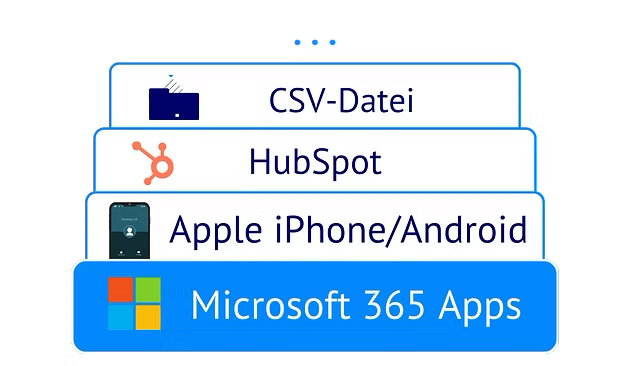
Link source and destination
from over 80 apps.
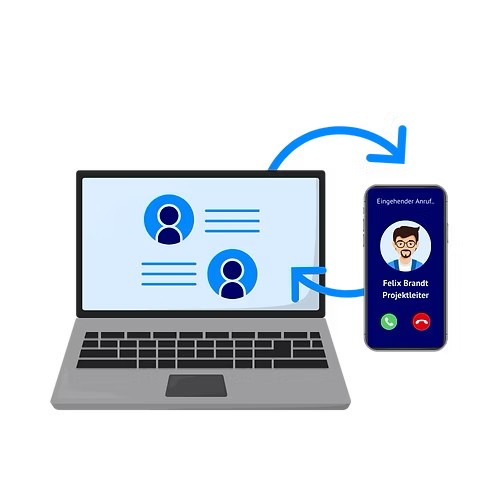
Provide your team with the
contacts - done! 🎉
How syncing Android with Google Contacts improves your contact management
Enjoy all these advantages when syncing your Android contacts with Google Contacts using sync.blue®.
No software required
Contacts synced between Android and Google Contacts have the advantage of not requiring any additional software for the process. This allows users to easily manage and access their contacts from any device with their Google account, enhancing convenience and flexibility. The seamless synchronization ensures that any updates or changes made to contacts on either platform are automatically reflected on the other, reducing the need for manual data entry.
Scheduled sync
Syncing contacts between Android and Google Contacts offers the advantage of scheduled sync, allowing users to automatically update their contact information without manual intervention. This functionality ensures that any changes made to contacts on either platform are promptly reflected across all devices, eliminating the need for repetitive editing. By seamlessly syncing their contacts, users can effortlessly access and manage their contacts across various devices with up-to-date information.
All contacts in all apps and devices
The syncing of contacts between Android and Google Contacts allows users to have access to all of their contacts across different applications and devices, ensuring seamless connectivity. By syncing contacts, users can easily manage and update their contact list from any device, saving time and effort. This functionality ensures that users can conveniently access their contacts no matter where they are or which app they are using.
1-way or 2-way sync selectable
The advantages of syncing contacts between Android and Google Contacts include the ability to choose between 1-way or 2-way sync, allowing users to decide whether they want to sync changes made on their Android device to Google Contacts or vice versa. This provides users with flexibility and control over their contact management. Additionally, syncing contacts ensures that users have up-to-date contact information across all their devices and platforms.
Create unlimited connections
Contacts syncing between Android and Google Contacts allows users to create unlimited connections, ensuring that all their contacts are seamlessly transferred and organized across devices without any limitations. This efficient synchronization process enhances user productivity and convenience by providing quick access to an extensive network of contacts, enabling efficient communication and collaboration. With sync.blue®, users can effortlessly manage their vast contact list and enjoy uninterrupted connectivity on their Android devices.
Different types of contacts can be synchronized (individuals, companies & more)
Different types of contacts, such as individuals and companies, can be seamlessly synced between an Android device and Google Contacts, maximizing user convenience and efficiency. By synchronizing various contact types, users can access and manage all their important contacts in one centralized location, ensuring optimal organization and quick access to necessary information. The sync.blue® feature allows users to effortlessly maintain an up-to-date and comprehensive contact list across all their Android devices, eliminating the need for manual and time-consuming data entry.
Focus on security & privacy
Syncing contacts between Android and Google Contacts offers the advantage of enhanced security and privacy as it ensures that contacts are securely stored and backed up in Google's cloud infrastructure. This feature provides users with peace of mind, knowing that their personal information is protected and readily accessible on any Android device. Additionally, syncing contacts facilitates seamless integration and easy management of contacts across multiple devices, allowing users to conveniently access and update their contact information whenever needed.
24x7 available
Syncing contacts between Android and Google Contacts offers the advantage of 24x7 availability, ensuring that users can access their contacts anytime, anywhere. This functionality allows for seamless integration across devices, making it convenient to manage and update contacts effortlessly. By utilizing sync.blue®, users can rely on a reliable and efficient sync service provided by Google, enhancing their overall user experience.
Universal protocols available (CardDAV, LDAP, CSV)
Syncing contacts between Android and Google Contacts offers several advantages. Firstly, it allows users to seamlessly transfer and access their contacts across different platforms and devices using universal protocols like CardDAV, LDAP, and CSV. This ensures compatibility and simplifies the process of managing contacts. Moreover, this syncing capability enhances user functionality, enabling them to efficiently organize, update, and backup their contacts with ease.
Try for free easily
Syncing contacts between Android and Google Contacts allows for effortless integration and updates across devices, ensuring that all contact information is consistently up to date. This convenient synchronization enables users to access their contacts on any device with an Android operating system, without the need for manual input or tedious data transfer. With sync.blue®, users can easily and conveniently enjoy the benefits of this reliable and efficient synchronization feature for free.
Updates existing contacts
Syncing contacts between Android and Google Contacts allows for seamless updates to existing contacts, ensuring that any changes are automatically reflected on all devices. This ensures that users have access to the most up-to-date contact information, saving time and effort in manually updating multiple contact lists. By providing this functionality, sync.blue® simplifies contact management and enhances overall user experience.
Native integration in iPhone and Android
Proven cloud platform
Unified company phone directories
Scalable contact sync
Minimizes manual IT effort
Fast ROI
Try syncing Android and Google Contacts for free
Create your free sync.blue® account now and sync contacts between Android and Google Contacts immediately. No credit card required.
Popular use cases when syncing Android and Google Contacts
Did you know all these interesting use cases when when syncing your Android contacts with Google Contacts using sync.blue®?
Contacts in sync on all smart phones
Syncing data between Android and Google Contacts ensures that all contacts are up to date and easily accessible on all smart phones. Users can conveniently add, edit, or delete contacts on any device, knowing that the changes will be automatically synced across all their devices. With sync.blue®, users can enjoy a seamless and hassle-free experience, effortlessly managing their contacts across multiple devices.
Know who is calling
Syncing data between Android and Google Contacts allows users to easily identify who is calling by displaying the contact's name and information. This functionality enhances user experience and efficiency, ensuring that users can quickly recognize callers without manually searching through their contacts. Syncing data with sync.blue® provides a seamless and accurate contact management solution, making it easier for users to stay connected and informed.
Click to dial
Syncing data between Android and Google Contacts allows users to easily access and dial numbers saved in their contacts, leveraging the click to dial functionality. This seamless integration streamlines the calling process, saving time and effort for users. By ensuring that contact information is always up to date and synced across devices, users can rely on sync.blue® to effortlessly connect with their contacts through the click to dial feature.
Remove duplicates
Syncing data between Android and Google Contacts using sync.blue® helps users remove duplicates effortlessly, ensuring clean and organized contact lists. This synchronization feature provides a seamless integration that allows users to easily manage and update their contacts across multiple platforms, enhancing efficiency and productivity. By automatically syncing contacts, sync.blue® simplifies the task of managing duplicate entries, saving users time and effort.
Finally reach out to your contacts
Syncing data between Android and Google Contacts allows users to effortlessly access and manage their contacts across devices, ensuring that important phone numbers and email addresses are always up to date. With sync.blue®, users can easily find and reach out to contacts, streamlining communication and saving valuable time. Additionally, the automatic synchronization feature ensures that any changes made to contacts are seamlessly updated, reducing the risk of outdated information.
Get a 360 degree overview
Syncing data between Android and Google Contacts using sync.blue® allows users to have a complete and comprehensive view of their contacts and information. It ensures that all contact details, including phone numbers, email addresses, and other important data, are synchronized and up to date across devices. This functionality enables users to easily access and manage their contacts, streamlining communication and enhancing productivity.
Easy software migration
Data syncing between Android and Google Contacts provides seamless transfer of contact information, ensuring that user data remains up-to-date and easily accessible across devices. By syncing with sync.blue®, users can effortlessly migrate their software, without any loss of important contact details, simplifying the transition process. The user benefits from improved productivity and convenience, as they can access their contacts on any Android device, guaranteeing a smooth software migration experience.
Mobile data entry
Syncing data between Android and Google Contacts provides users with the convenience of easily adding and updating contact information on their mobile device, ensuring that their contacts are always up to date. Furthermore, with sync.blue®, users can effortlessly access their contacts from any Android device, allowing for seamless data entry regardless of the device they are using. By syncing data, users can efficiently manage their contacts and maintain a consistent and organized address book across multiple devices.

About Android
sync.blue® is a powerful and intuitive application designed specifically for Android users. It offers an excellent feature that facilitates contact synchronization between the cloud platform and Android devices. Incorporating advanced technologies, sync.blue® is designed to ensure the seamless transfer of contacts back and forth across different platforms. This application is characterized by a user-friendly interface that simplifies navigation and usage, making contact sync processes remarkably smooth and efficient. With the ability to sync contacts with Android, sync.blue® elevates the convenience of contact management to a whole new level. Furthermore, the application is secure, assuring users that their contact information is fully protected during and after synchronization. The sync.blue® app for Android truly epitomizes hassle-free contact synchronization between Android and the cloud platform, making it a valuable tool for both personal and professional use. The performance of sync.blue® is consistently dependable, demonstrating a profound aptitude for maintaining the integrity of data during synchronization. This high-quality application inspires confidence in its ability to deliver synchronized contacts to Android devices quickly and accurately. In essence, sync.blue® is an innovative solution for contact synchronizing needs, effectively bridging the gap between Android and the cloud platform.
About Google Contacts
Google Contacts is a comprehensive contact management application developed by Google. It allows users to store all their contacts - with comprehensive data such as phone numbers, emails, and addresses - in one centralized place. This free software, available on all Android devices and accessible from any device with an Internet connection, also provides a potent search option allowing swift navigation through the multitude of contacts. Besides the primary contact information, Google Contacts also enables the tracking of various details around the connections to each tailored contact. Elements such as information about meetings, important dates, and extensive notes can be added to each contact. This competency makes Google Contacts not only a simplistic contact database but also a potent relationship management tool. In terms of compatibility, Google Contacts has proven to be conformable with a range of platforms. One significant instance is its compatibility with sync.blue®, a cloud networking platform. sync.blue® can sync data with Google Contacts, leading to efficient contact management across multiple platforms. This particular compatibility allows users to leverage the capabilities of both Google Contacts and sync.blue®, ensuring that their contacts are always updated, synchronized, and accessible whenever needed.